New Feature
Change Any Photo Background in 30 Seconds
Upload a photo. Pick a background. AI replaces it while keeping you identical, face, hair, clothing, pose, everything. No Photoshop. No skills. Just results.
Sign in
One-time credit packs. Credits never expire.
See Real Background Transformations
Same person, same pose. Only the environment changes. These are the kinds of results you can create in about 30 seconds.
Professional Upgrade
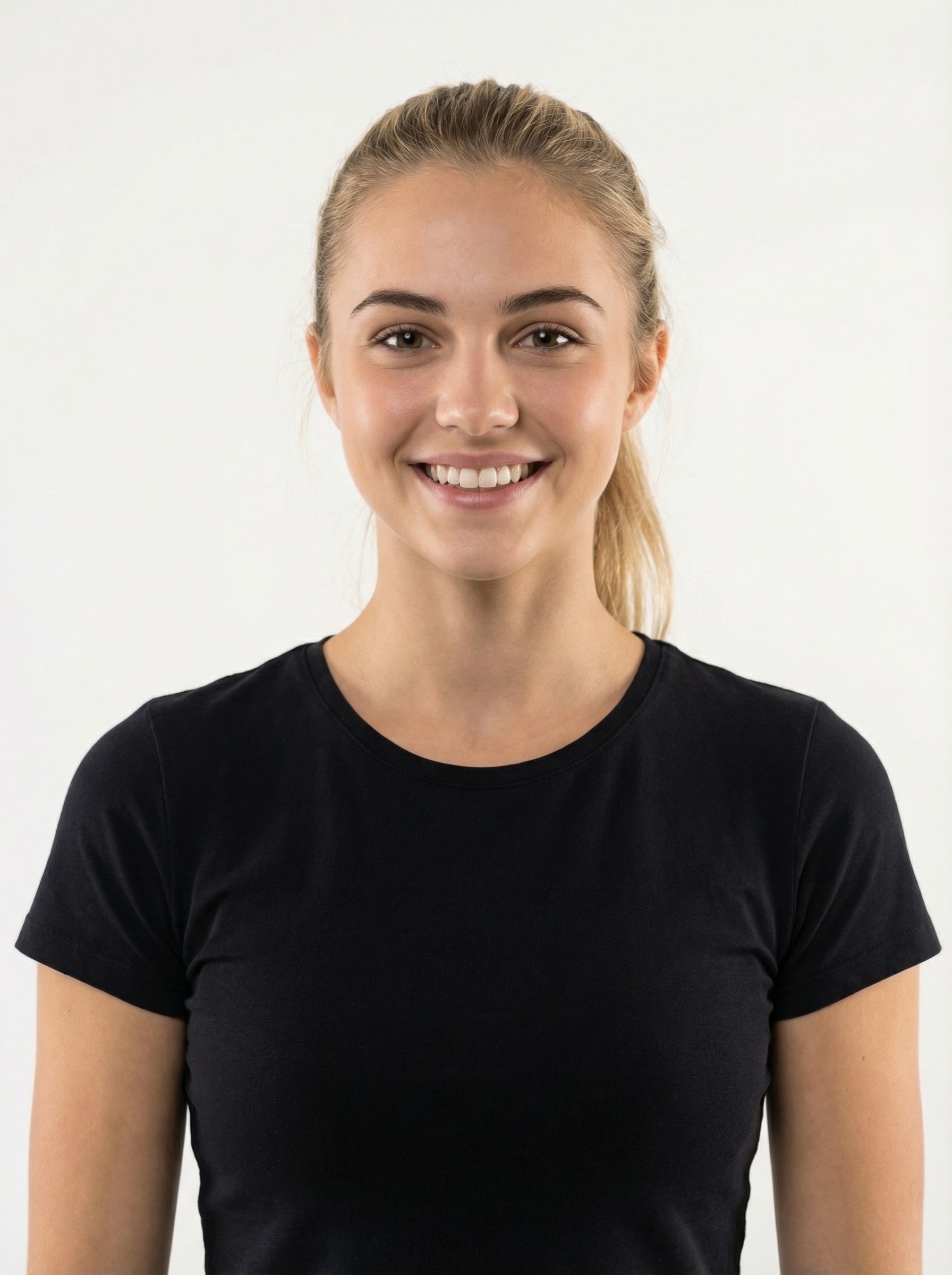
Original photo
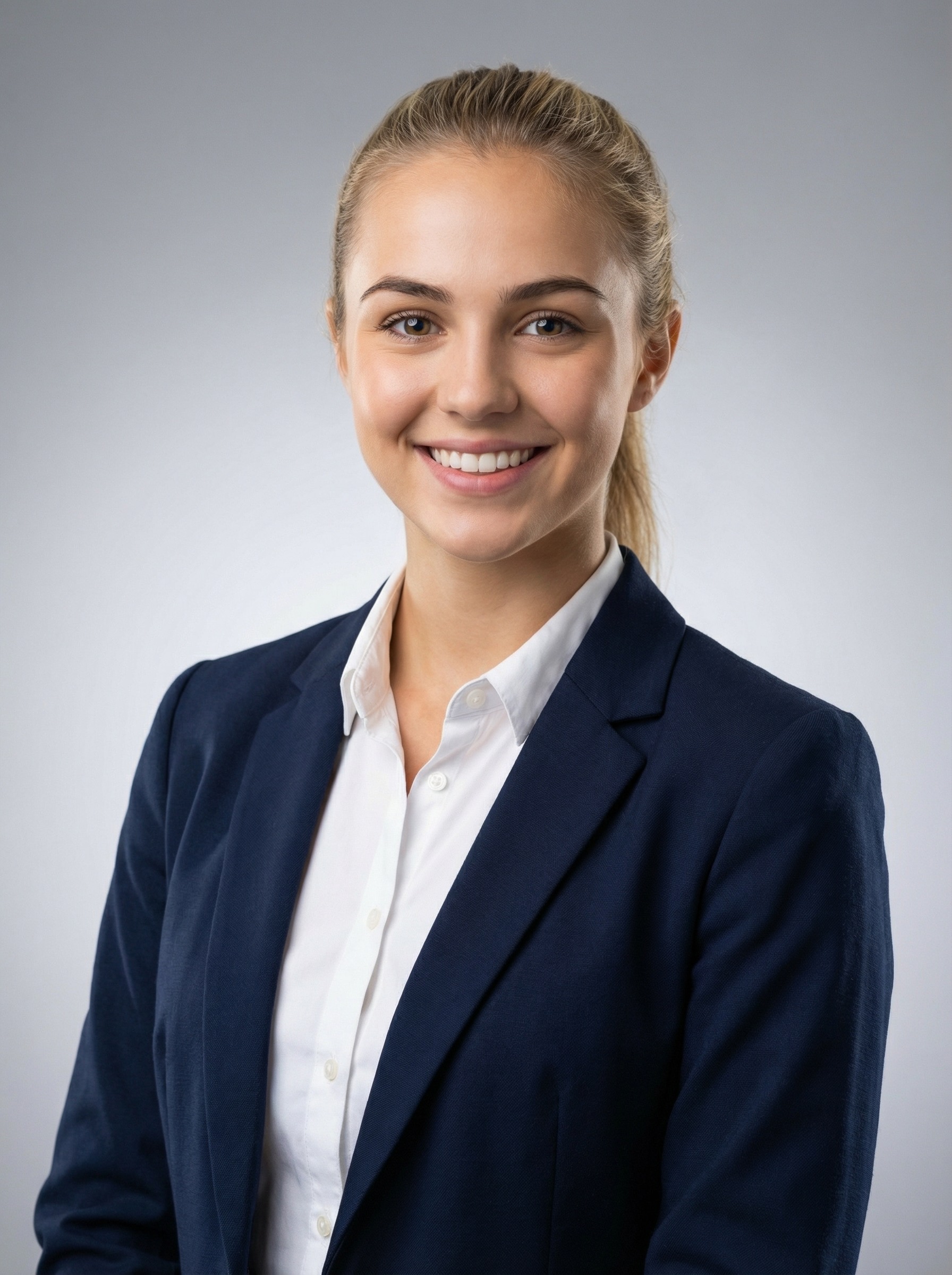
Office-ready background
Dating Profile Refresh
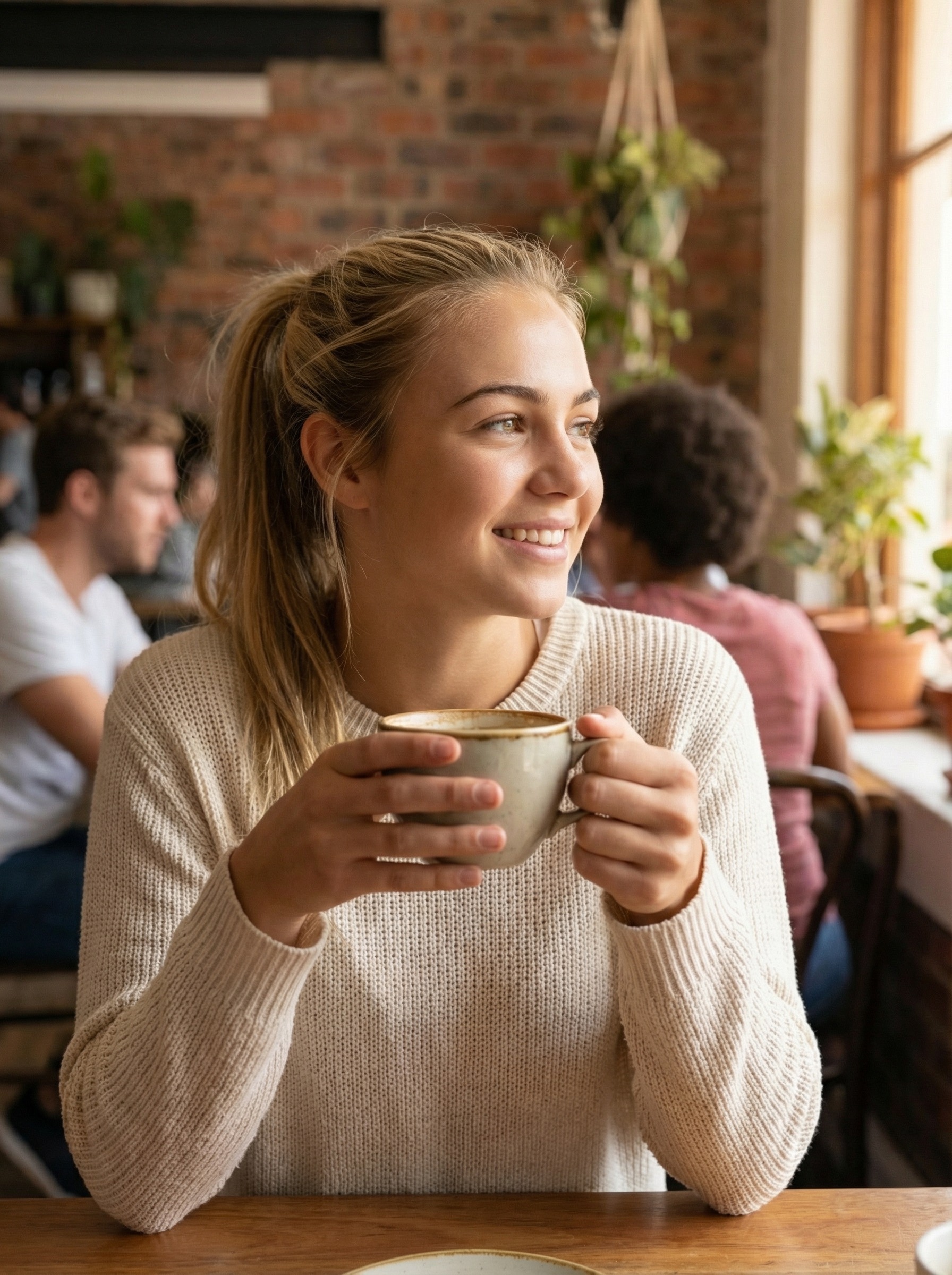
Indoor snapshot
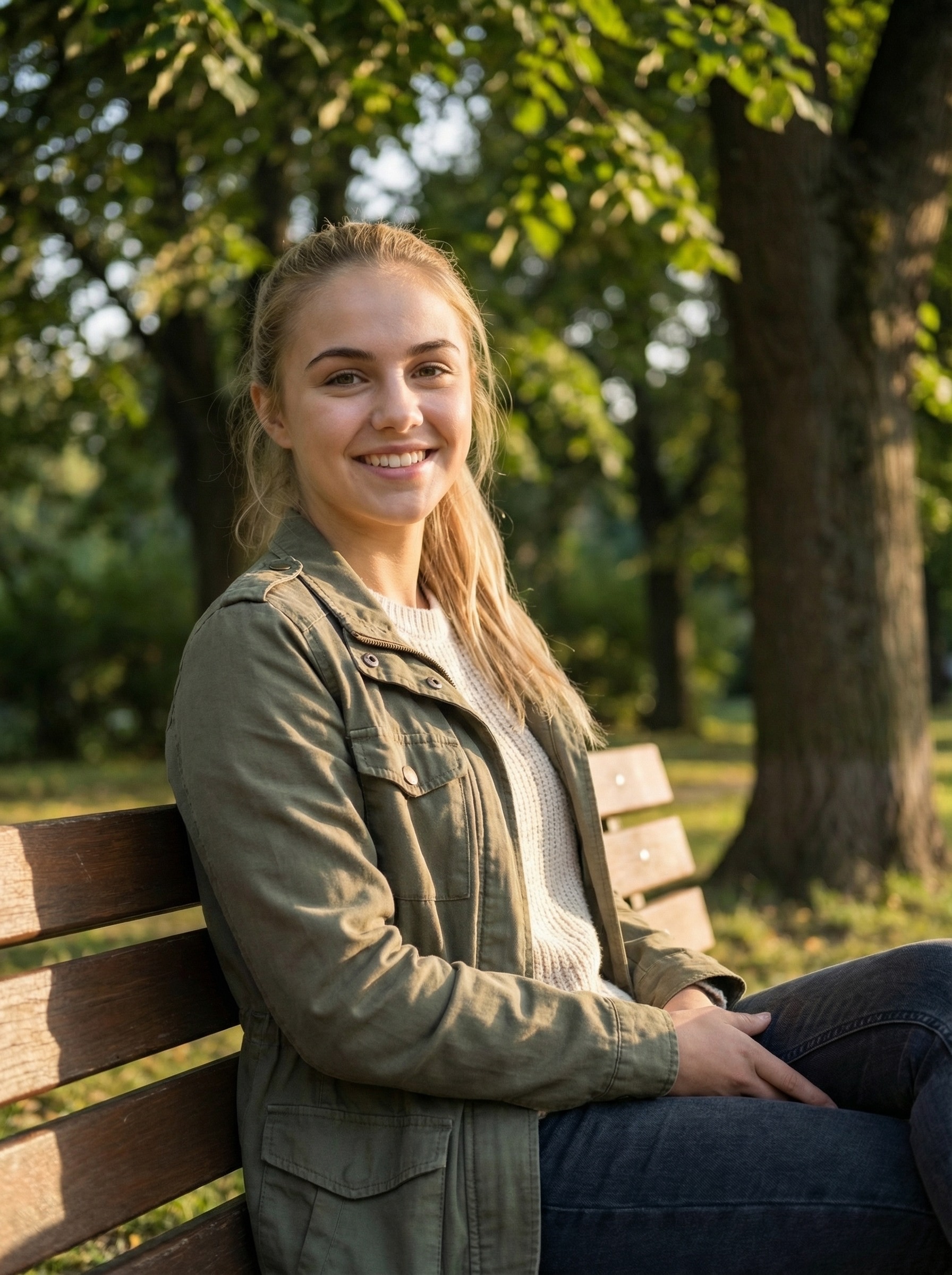
Golden-hour outdoor vibe
Social Content Glow-Up
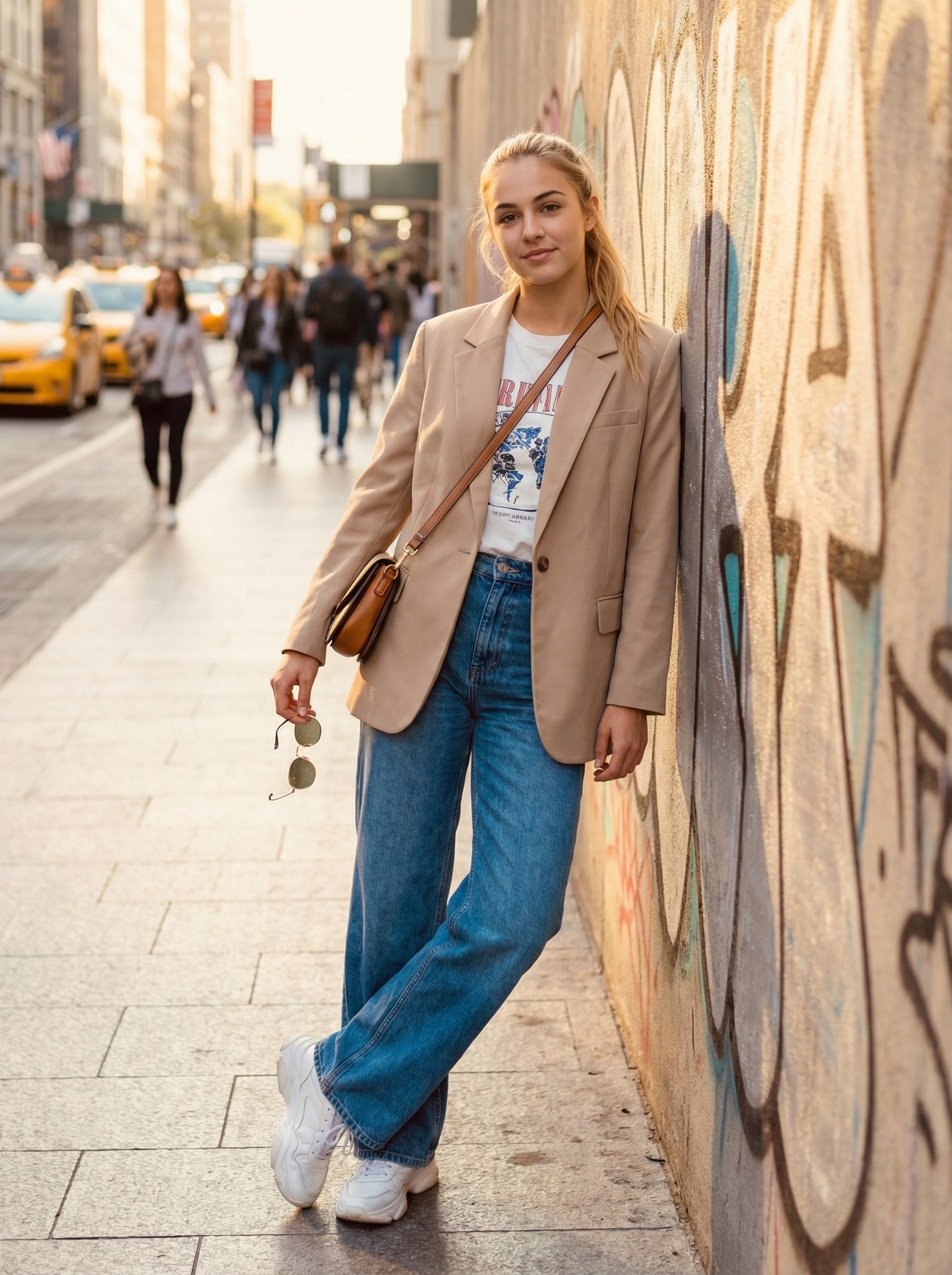
Everyday setting
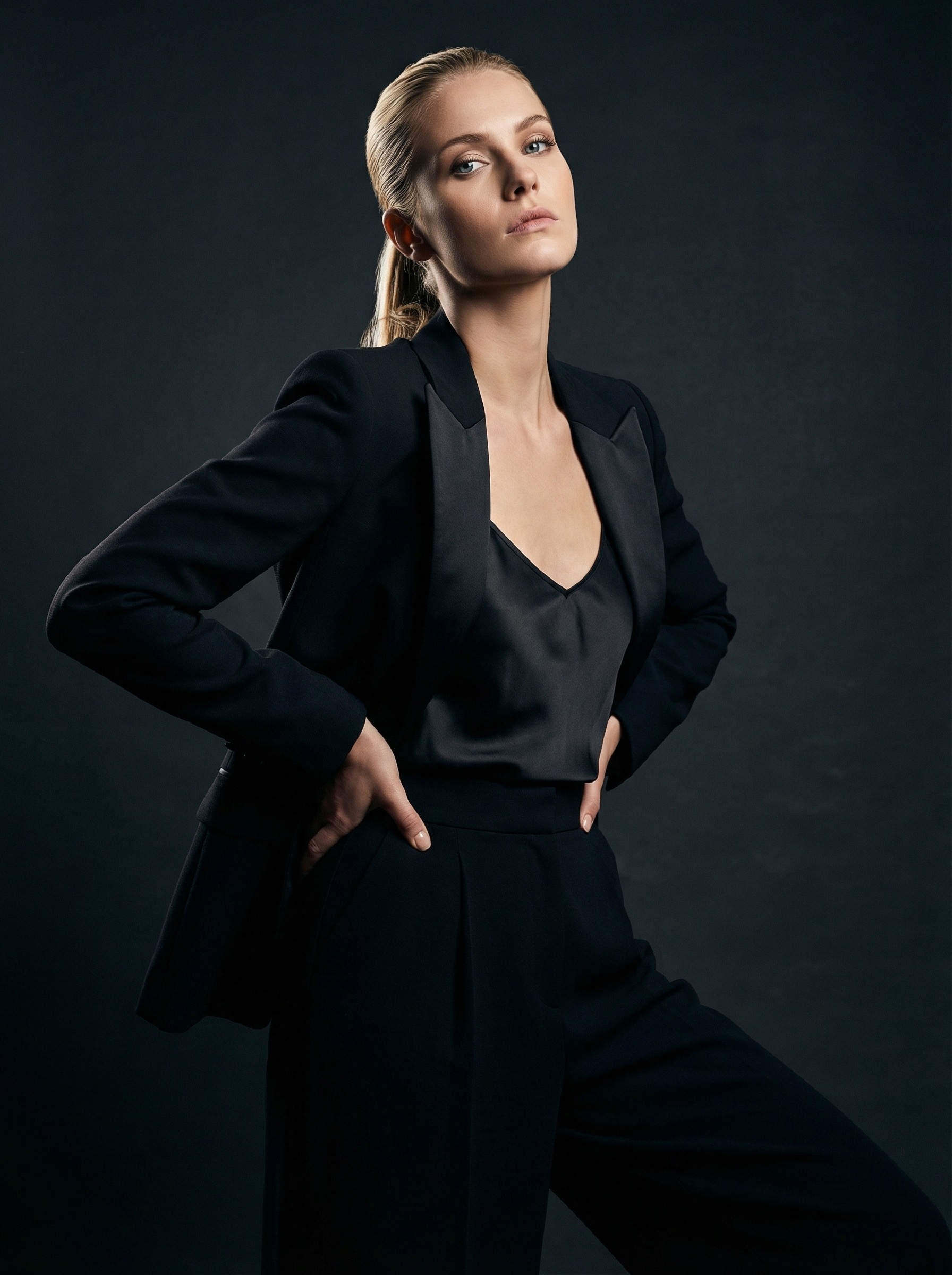
Styled creator backdrop
Three Steps to a New Background
1
Upload Your Photo
Any portrait works, selfie, headshot, full-body. The AI handles the rest.
2
Pick a Background
Choose from 12 professional presets or describe any scene you can imagine.
3
Download Your Photo
AI generates a photorealistic result in about 30 seconds. Saved to your gallery.
12 Professional Background Presets
Curated environments for every use case. From boardroom-ready office shots to relaxed outdoor vibes. Or describe your own custom scene.
Modern Office
Clean workspace with natural light and minimalist furniture
Executive Suite
Prestigious corner office with city skyline views
Classic Studio
Smooth gradient backdrop with three-point lighting
Dark Studio
Dramatic charcoal backdrop with Rembrandt lighting
City Rooftop
Golden hour cityscape with bokeh lights
Library
Tall wooden bookshelves with warm lamp light
Golden Hour
Soft sunlight through lush green foliage
Garden
Colorful flowers with dappled sunlight
Beach Sunset
Warm coastal sunset with soft ocean waves
Cozy Cafe
Warm cafe ambiance with wooden textures
Co-working Space
Trendy open space with exposed brick and plants
Abstract Gradient
Navy to teal gradient with subtle bokeh
Or write any custom description: “Standing on the bridge of a spaceship looking out at the stars”, your imagination is the limit.
Who Uses AI Background Changing?
LinkedIn Headshots
Turn a casual photo into a professional headshot with an office or studio background. No photographer needed.
Profiles with professional photos get 14x more views
Dating App Photos
Swap your bedroom selfie background for a rooftop bar, coffee shop, or beach sunset. Same you, better setting.
Photos in interesting settings get 30% more right swipes
Real Estate Agents
Consistent professional headshots across all listings and marketing materials. One photo, any background.
78% of home buyers choose agents based on their photo
Social Media Content
Create content that looks like you traveled the world without leaving your room. New background, new post.
Varied backgrounds increase engagement by 25%
Company Team Pages
Give your whole team matching professional backgrounds. Upload individual photos, apply the same preset.
Consistent team photos build brand trust
Conference & Event Bios
Speaker profiles, conference bios, and event pages all need professional photos. Get one in seconds.
87% of attendees check speaker photos before events
Why LensCherry vs. Other Background Changers
Basic Background Removers
- ✕Remove background only, you add your own
- ✕No lighting adjustment on the person
- ✕Obvious cutout edges, halo artifacts
- ✕Single-purpose tool
LensCherry Background Changer
- AI generates complete new environments
- Lighting automatically matched to scene
- Seamless photorealistic compositing
- Part of full creative suite (photos, try-on, Quick Shots)
New Background in 30 Seconds
Sign in to continue creating. Upload a photo and see the difference yourself.
Sign inFrequently Asked Questions
How does the AI background changer work?
Upload any photo of yourself and choose a new background, either from our 12 professional presets (offices, studios, outdoors, cafes) or describe a custom scene. The AI analyzes your photo, precisely isolates you from the background, then generates a photorealistic new environment that matches the lighting on your face. The whole process takes about 30 seconds.
Will my face and body look exactly the same?
Yes. The AI is specifically instructed to preserve your face, hair, expression, clothing, and pose completely unchanged. Only the background changes. The lighting on your skin is subtly adjusted to match the new environment, which is what makes it look natural rather than pasted-on.
What kinds of photos work best?
Portrait-style photos with a clearly visible person work best. Headshots, half-body shots, and full-body portraits all produce great results. Photos with a simple or distinct background separate most cleanly, but the AI handles complex backgrounds well too. Avoid group photos or images where the subject blends into the background.
What background options are available?
We offer 12 curated presets across three categories: Professional (Modern Office, Executive Suite, Co-working Space, Classic Studio), Creative (Dark Studio, Library, City Rooftop, Abstract Gradient), and Outdoor (Golden Hour, Garden, Beach Sunset, Cozy Cafe). You can also write a completely custom description for any background you imagine.
How much does it cost?
Each background change costs 1 credit. Credit packs start at $4.99 for 10 credits (10 background changes). Credits never expire and work across all LensCherry features: photos, Quick Shots, try-on, backgrounds, and more.
Is this better than Photoshop background removal?
For most people, yes. Photoshop requires manual selection, masking, and compositing skills that take years to develop. LensCherry's AI handles the entire process in seconds with no skills required. The AI also generates a complete new environment with realistic lighting, shadows, and depth, something that would take an experienced designer 30-60 minutes in Photoshop.
Can I use this for LinkedIn and professional profiles?
Absolutely. That's one of the most popular use cases. Take a casual photo of yourself, then place yourself in a professional office, clean studio, or co-working space. The result looks like a professional headshot taken on location. Many of our users swap backgrounds for LinkedIn, company websites, conference bios, and resume photos.
Do you keep my photos private?
Yes. Your photos are stored on secure European servers, transmitted over encrypted HTTPS, and never sold or used for advertising. You can delete your photos at any time from your gallery. We use Google's Gemini AI for generation, which processes photos on Google Cloud infrastructure with enterprise-grade security.