6 Best AI Selfie Editor Apps in 2026 for Better Profile Photos and Headshots
A practical answer-first comparison of the best AI selfie editor apps in 2026. See when LensCherry beats retouch-only tools, plus examples for LinkedIn, dating, and creator photos.
LensCherry Team
AI Photo Experts • Updated March 2026
Selfie editor examples
Real examples, arranged in CSS instead of one baked image
Start with one casual selfie, then compare the kinds of stronger outcomes people actually want for LinkedIn, dating, and creator profiles.
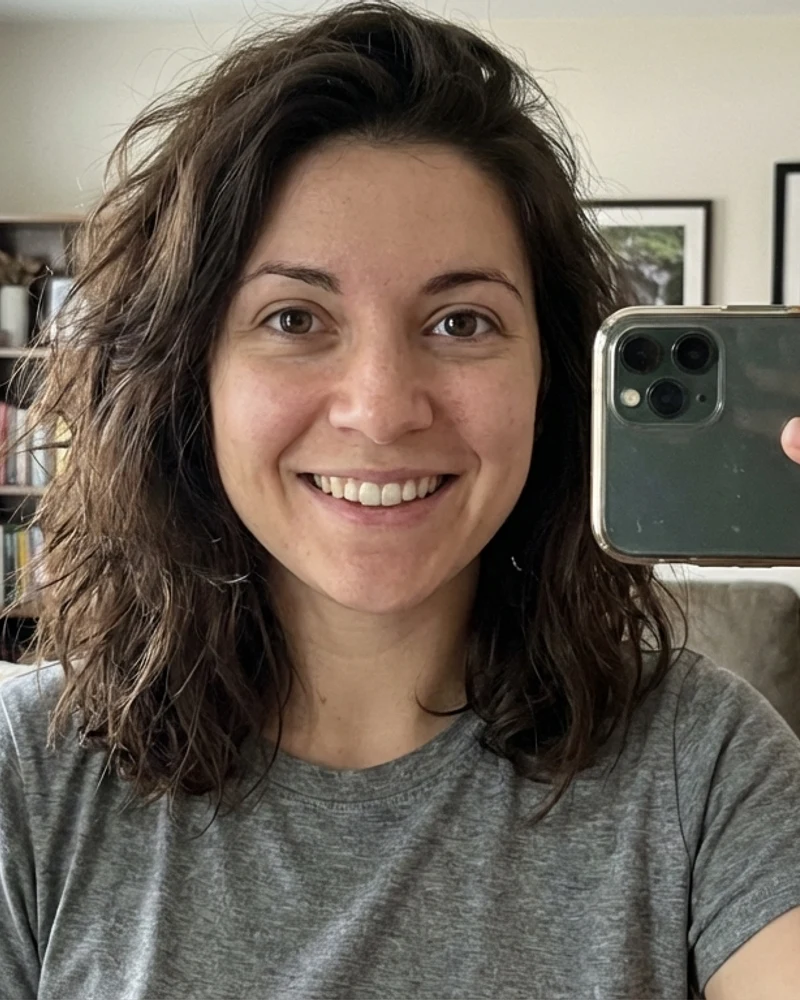
Starting selfie

LinkedIn-ready result

Dating-photo direction
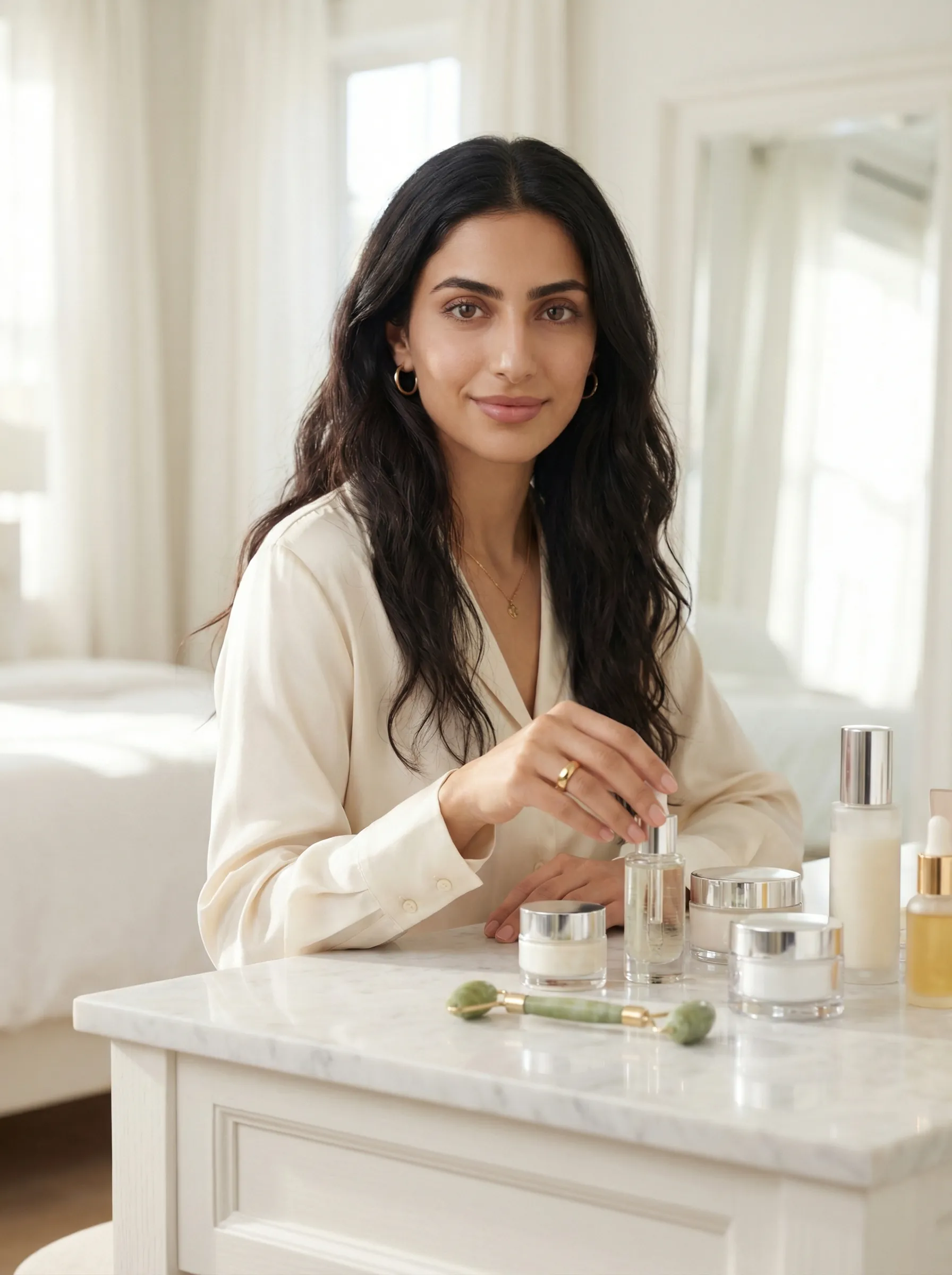
Creator portrait
Short answer: If you want to turn a weak selfie into a better photo you will actually post, LensCherry is the strongest all-around pick. It does more than smooth skin or sharpen eyes. It helps you create cleaner headshots, warmer dating photos, and stronger creator portraits from the selfies you already have. If you already like the photo and only need cleanup, Remini, Facetune, or AirBrush may be enough.
If you want the best AI selfie editor app for real-world results like LinkedIn, Instagram, Hinge, a speaker bio, or a creator thumbnail, this is the group of tools to compare. It is not a list of full desktop editors or novelty avatar apps.
LensCherry is our product, so read that section with that context. The comparison is still direct on where edit-first apps are a better fit.
Last updated: March 18, 2026
Best AI Selfie Editor Apps in 2026
- Best overall for turning selfies into better profile photos: LensCherry
- Best for sharpening selfies you already like: Remini
- Best for heavy beauty retouching: Facetune
- Best for fast mobile polish: AirBrush
- Best for all-in-one social editing: Picsart
- Best if your selfie lives inside a design workflow: Canva
Quick Comparison Table
| App | Best For | What It Does Best | Where It Falls Short | Free Option |
|---|---|---|---|---|
| LensCherry | New headshots, dating photos, creator portraits from selfies | Generates stronger new photos, cleaner crops, better backgrounds, more usable range | More than you need if you only want light touch-ups | Yes, 3 free credits |
| Remini | Sharpening and restoring existing selfies | Face clarity, upscaling, restoring soft images | Does not solve weak composition or weak outfit/background choices | Limited free use |
| Facetune | Beauty retouch and style tweaks | Skin cleanup, makeup-style edits, facial adjustments | Easy to over-edit, weaker for creating a whole new professional photo | Free trial |
| AirBrush | Quick mobile selfie cleanup | Fast retouching, whitening, reshaping, portrait polish | Better at cleanup than at making the photo feel truly new | Limited free plan |
| Picsart | Casual creators editing inside one app | Broad toolkit for photo, text, stickers, and AI extras | Selfie results depend more on manual editing choices | Free plan |
| Canva | Content teams and design-first workflows | Background cleanup, resize, brand-friendly layout work | Not the best dedicated selfie-first app if the portrait itself is weak | Free plan |
How to Choose the Right Selfie Editor
The mistake most people make is choosing an app before deciding what problem they are trying to fix.
There are really only two paths:
Path 1: You already like the selfie
If the expression is good, the outfit works, and the photo basically feels usable, a retouch-first app can be enough. This is where Remini, Facetune, and AirBrush make sense.
Path 2: You do not actually like the selfie
If the crop is weak, the room behind you is messy, the lighting is flat, or the photo just feels low effort, you need more than cleanup. This is where LensCherry wins. Instead of endlessly polishing the same mediocre image, it helps you create a stronger photo from the same starting point.
That is the core difference between a normal AI selfie photo editor and a tool like LensCherry.
1. LensCherry
Best for people who need a better end result, not just more retouching.
Why it wins this category
LensCherry is the strongest answer for fresh selfie-editor demand because most searchers are not actually asking for wrinkle reduction. They are asking for a selfie that can become a stronger photo for a specific use case.
That is what LensCherry does better than edit-first tools:
- it can turn casual selfies into cleaner LinkedIn-style headshots
- it can create warmer dating-profile photos
- it can generate more intentional creator portraits
- it gives you multiple directions instead of trapping you inside one source image
If you only improve the same weak selfie, you usually keep the same weak framing, same awkward background, and same low-effort vibe. LensCherry changes the actual outcome.
LinkedIn example
From casual selfie to something you would actually use on LinkedIn
The point is not more smoothing. It is a stronger photo choice with cleaner styling, framing, and profile-photo usefulness.
Starting selfie
LinkedIn-ready result
Best for
- LinkedIn profile refreshes
- dating app lead photos
- speaker bios
- creator avatars and thumbnails
- quick "I need a better profile photo today" use cases
Where it is different from a normal editor
LensCherry sits closer to an AI creative studio than a simple retouch app. You can use Quick Shots for speed, or build from several selfies when you want more consistency and more range.
That matters because the best selfie editor is not always the one with the most sliders. It is the one that gets you to a final image you are willing to publish.
If you want the broader market view after this narrower selfie-editor comparison, read our Best AI Photo Apps in 2026 guide. If your next step is animating that stronger selfie into a speaking clip, our Best AI Talking Photo Apps in 2026 guide covers the mobile tools for that job.
Want to know if a stronger result is possible from your current selfies?
Test LensCherry before you keep hunting for another retouch app
If the real problem is weak framing, background, or outfit direction, start with a few selfies and generate cleaner profile-photo options instead of polishing the same mediocre image again.
Best fit when you need a better LinkedIn photo, dating opener, or creator portrait, not just heavier retouching.
2. Remini
Best when the selfie is already good but the quality is soft.
Remini is still the easiest recommendation if your problem sounds like this:
"I have a selfie I like. It just looks blurry, compressed, or old."
That is where Remini is strong. It sharpens detail, improves clarity, and helps rescue selfies that are almost good enough.
Best for
- soft or slightly blurry selfies
- old profile photos that need detail restored
- low-resolution images you want to reuse
Not best for
- replacing a bad background
- changing the vibe of the image
- turning a casual phone selfie into a stronger professional portrait
This is the important fork: Remini is best when you want to rescue the image. LensCherry is better when you want to replace the image with a stronger one.
3. Facetune
Best for aggressive beauty edits and appearance control.
Facetune is still one of the most recognizable selfie-editing brands for a reason. It is packed with face, skin, makeup, hair, and reshape tools, and it gives people a lot of direct control.
That control is useful if your goal is obvious beauty retouching, glam cleanup, or creator-style polish.
Where Facetune fits
- beauty creators
- glam selfies
- style-led social photos
- users who want manual retouch controls
Where it loses ground
Facetune can make a selfie look more processed without making it more usable. If your actual problem is that the shot feels random, cluttered, or badly framed, extra retouching will not solve it.
That is why it is rarely the best answer for LinkedIn or dating-photo intent unless the original selfie was already solid.
4. AirBrush
Best for quick mobile cleanup when you want speed over strategy.
AirBrush is practical. It is built for fast polishing: skin, teeth, smoothing, facial adjustments, and basic portrait cleanup.
If your standard workflow is "take selfie, clean it up on my phone, post it," AirBrush makes sense.
Best for
- quick mobile polish
- casual social selfies
- users who want minimal setup
Not best for
- professional headshots
- multiple output directions from the same selfie
- cases where the background, crop, or wardrobe need a bigger shift
Dating example
A warmer dating-photo direction beats polishing a weak flat selfie
This is the kind of upgrade that matters when the real goal is a stronger opener, not a sharper version of the same forgettable shot.
Starting selfie
Dating-photo result
5. Picsart
Best all-in-one social editing app if you do more than just portraits.
Picsart is less focused than the apps above, but that can be a good thing. If you want a single app that mixes text, design, cutouts, effects, stickers, and AI features with selfie editing, it is a practical choice.
Best for
- social content creators
- casual photo-plus-graphic workflows
- users who want lots of tools in one place
Tradeoff
Picsart is broad, but not as opinionated about the portrait outcome. It gives you tools. It does not guide you toward the strongest profile-photo result the way a dedicated portrait workflow does.
That means it is more useful once you already have a photo direction you like.
6. Canva
Best when the selfie is part of a design job, not the whole job.
Canva is in this list because a lot of people searching for a selfie editor app are really trying to make assets for a page, banner, post, presentation, or launch graphic. In that workflow, Canva is useful.
It is especially good when you need to:
- remove or simplify backgrounds
- resize for different channels
- place the selfie into a design or content template
- keep the final result on-brand
Where Canva is limited
Canva is not the strongest dedicated answer if the portrait itself is weak. It is better at helping you use a photo than helping you invent a much better one.
That is why Canva often works after LensCherry, not instead of it.
What the Best Selfie Editor Looks Like by Use Case
Best selfie editor for LinkedIn
Choose LensCherry if the current selfie still feels casual, cluttered, or badly cropped.
Choose Remini if the selfie is already professional enough and mainly needs clarity.
Creator example
For creator profiles, the portrait itself often needs to get stronger first
Design tools help after you have a good image. But the first job is getting a better portrait with more direction, better styling, and clearer visual intent.
Starting selfie
Creator portrait result
Best selfie editor for dating apps
Choose LensCherry if you need a stronger lead photo, more warmth, or a more intentional profile-photo vibe.
Choose AirBrush or Facetune if you already have a decent photo and only want lighter polish.
Best selfie editor for Instagram or creator profiles
Choose Picsart or Canva if the photo is going into a bigger content workflow.
Choose LensCherry if the portrait itself needs a stronger concept, cleaner composition, or more brand direction.
Real-World Rule: Edit vs Replace
Use this rule before you buy anything:
Use an edit-first app if:
- you already like the photo
- the background is acceptable
- the crop works
- the expression is strong
- the image only needs cleanup
Use LensCherry if:
- the selfie feels random
- the room behind you looks messy
- the crop reads badly at thumbnail size
- the outfit is wrong for the platform
- you need several better options, not one repaired original
Background example
Background and composition change whether the photo feels intentional
A lot of selfie-editor traffic is really about fixing weak surroundings. When the room, crop, or energy are working against you, replacement beats cleanup.
Messy casual context

Cleaner professional context
That single decision will save most people money.
Why LensCherry Has the Better Comparison Angle
This page exists because a lot of "best selfie editor app" traffic is really comparison traffic in disguise.
The searcher is usually asking one of these:
- "Can I fix my LinkedIn photo without hiring a photographer?"
- "Can I get a better Hinge opener from my selfies?"
- "Can I make my profile photo look more intentional?"
If that is the real question, LensCherry is usually the better answer because it is closer to a photo replacement engine than a touch-up layer.
That is also why this article sits next to our broader Best AI Photo Apps in 2026 comparison. That page is the wide market view. This page is the narrower, higher-intent selfie-editor version.
The Biggest Mistake People Make
They keep polishing a selfie they should have abandoned three edits ago.
Sharper skin does not fix:
- bad posture
- poor crop
- weak background
- wrong clothing signal
- low-effort energy
The right test is not "does this look more edited?"
The right test is "would I actually use this as my profile photo now?"
Crop example
Tighter crops usually read better in profile circles and speaker bios
This is less about editing tricks and more about choosing a photo that still works when it gets tiny on a profile card, byline, or app thumbnail.

Looser casual crop
Tighter usable crop
Final Verdict
If you want the best AI selfie editor app in 2026 for actual outcomes, LensCherry is the best overall pick because it can do the job that most people really need: turning ordinary selfies into better photos they can actually publish.
If you only need to sharpen or retouch a selfie you already like, Remini, Facetune, or AirBrush can be enough.
If your selfie work is part of a wider content workflow, Picsart and Canva are useful supporting tools.
But if your current photo still feels casual, weak, or unconvincing after editing, stop polishing it. Make a better one.
Frequently Asked Questions
What is the best AI selfie editor app in 2026?
For most people, LensCherry is the best overall AI selfie editor app because it can produce stronger profile photos, headshots, and dating images from selfies instead of only retouching the original file.
What is the best selfie editor for LinkedIn photos?
If the current photo only needs cleanup, Remini can work. If it still looks casual or badly framed, LensCherry is the better option because it can create a more professional-looking end result.
Which selfie editor app is best for dating profiles?
LensCherry is the better choice when you need a stronger opener or a more intentional dating-photo look. AirBrush and Facetune make more sense for lighter touch-ups on photos you already like.
Is Remini better than LensCherry?
They solve different problems. Remini is better for improving an existing selfie you already want to keep. LensCherry is better when you need a better photo overall.
Can Canva count as a selfie editor app?
Yes, but it is best understood as a design workflow tool that includes portrait-friendly features. It is more useful for using a selfie inside content than for creating the strongest possible selfie-based portrait from scratch.
What is the difference between an AI selfie editor and an AI photo app?
A selfie editor is usually narrower and focused on polishing portraits. A broader AI photo app can also generate new portraits, create multiple styles, and support additional workflows like headshots, virtual try-on, and creator assets.
If you are still deciding between cleanup and replacement
Run the simplest test: can your current selfie become a photo you would actually post?
LensCherry is the better answer when the honest answer is no. Start free, generate several options from your selfies, and compare that result against retouch-only apps.
Clear next step for readers with LinkedIn, dating, or creator-photo intent who need stronger source images now.