AI Headshots That Look Like You (Not Generic Stock)
Most AI headshots look like someone else. Fix that with 3 reference photo tricks that make generators nail your face. Free method included.
LensCherry Team
AI Photo Experts • Updated February 2026

Why Most AI Headshots Look "Off"
You've seen them. The AI headshots where something is just... wrong. Maybe the eyes are slightly too far apart. Maybe the jawline doesn't match. Maybe it looks like a better-looking stranger wearing your hairstyle.
The problem usually isn't the AI. It's the inputs.
AI headshot quality depends almost entirely on two things: how well the model was trained on your face, and the quality of the reference photos you provided. Get those right, and the results are genuinely hard to distinguish from studio photography. Get them wrong, and you get uncanny valley territory.
Here's how to land on the right side of that line.
How Face-Matched AI Models Actually Work
When you create a model on LensCherry, here's what happens behind the scenes:
- You upload 3-6 photos of yourself. These become your reference set.
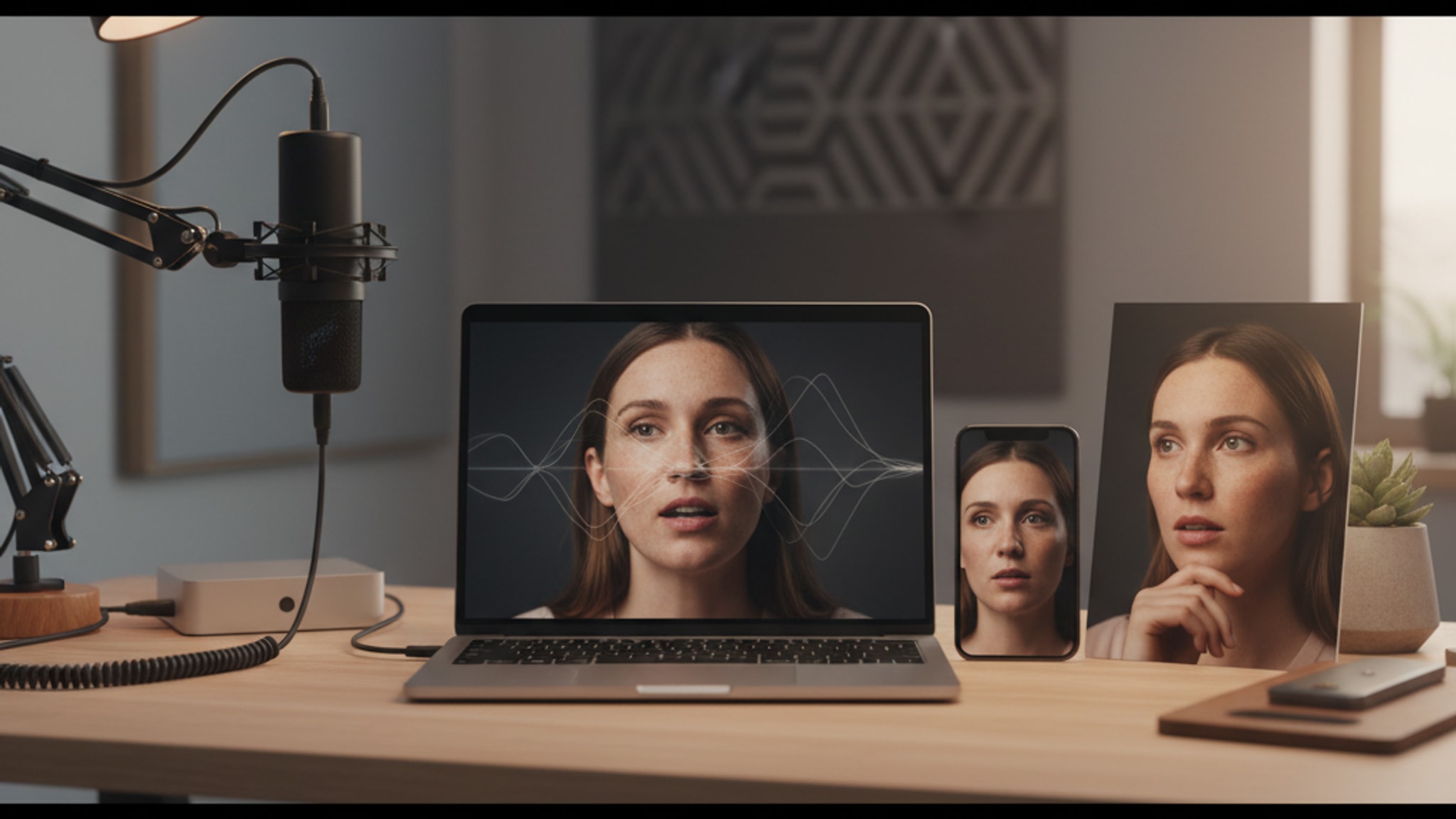
- The AI studies your facial geometry. It maps the proportions of your face: the distance between your eyes, the shape of your nose and jaw, your skin tone, hair texture, and dozens of other features.
- It builds a personalized model. This model "knows" what you look like from multiple angles and can generate new images that maintain your likeness.
- You generate headshots. Each new photo is created with your personalized model, keeping your features consistent across different poses, outfits, and backgrounds.
The key insight: the AI isn't editing your photos. It's learning your face and creating entirely new images that match your features. The better it learns you, the better the output.
The Reference Photo Checklist
This is where most people go wrong. Your reference photos are the foundation of everything. Here's exactly what to aim for:
Lighting
- Natural light is best. Stand near a window or step outside on a cloudy day
- Even lighting across your face. No harsh shadows on one side
- Avoid direct flash. It flattens your features and washes out skin tone
- Skip photos taken in dim bars or restaurants. The AI needs to clearly see your face
Angles
This is the single most important factor for likeness accuracy.
- Include a straight-on front shot. Looking directly at the camera
- Add a 3/4 angle. Turned slightly to one side, the classic portrait angle
- Include a slight profile if you can. This helps the AI understand your bone structure
- Mix it up. If all your photos are from the same angle, the AI only learns one view of your face
Expressions
- Include your natural resting expression. This is how you usually look
- Add a genuine smile. Not forced, just natural
- One serious/neutral expression. Useful for professional contexts
- Don't worry about being perfect. Variety matters more than any single great photo
What to Avoid
- No sunglasses or tinted lenses. The AI needs to see your eyes
- Skip hats that cover your forehead. Your hairline is part of your facial geometry
- No heavy filters or FaceTune. If your reference photos don't look like you, neither will your headshots
- Avoid group photos. Even if you crop them, the resolution is usually too low
- Don't use photos from 5 years ago. If you've changed, use current photos
The Ideal Reference Set
A perfect set of 6 reference photos looks like this:
- 2 front-facing (one smiling, one neutral)
- 2 at a 3/4 angle (one each side if possible)
- 1 slightly further back showing head and shoulders
- 1 candid or natural shot
You don't need a professional camera. A modern smartphone in good lighting is more than enough.
Personalized Models vs Quick Shots
LensCherry offers two paths to AI headshots, and they produce different levels of likeness accuracy.
Personalized Models (Best for Likeness)
Creating a personalized model takes a few minutes of upload time and delivers the highest accuracy. The AI spends time mapping your specific features before generating anything.
Best for:
- Professional headshots where accuracy is non-negotiable
- LinkedIn and corporate profiles (people will meet you in person)
- Executive headshots and business cards
- Any situation where someone might compare your photo to the real you
Likeness quality: 9/10 with good reference photos
Quick Shots (Best for Speed)
Quick Shots generate headshots in under a minute from a single photo. They use a faster process that's great for experimentation but trades some likeness precision for speed.
Best for:
- Trying out different styles before committing to a personalized model
- Social media profile pictures where exact likeness is less critical
- Dating app photos where you want a polished version of yourself
- Getting a quick feel for what AI headshots can do
Likeness quality: 7/10 (still recognizably you, but less precise on fine details)
Existing users can sign in to LensCherry to create headshots, dating photos, and creative portraits. Credit packs start at $4.99 and never expire.
5 Mistakes That Hurt Likeness Accuracy
1. Too Few Reference Photos
Uploading just one or two photos gives the AI very little to work with. It's like asking someone to draw your portrait after seeing you for two seconds. Three photos is the minimum, but six is where results get noticeably better.
2. All Photos From the Same Angle
If every reference photo is a front-facing selfie, the AI doesn't know what your profile looks like. It has to guess, and guesses show. Take 30 seconds to snap photos from different angles.
3. Heavy Makeup or Filters in References
If your reference photos have a Snapchat filter, skin smoothing, or dramatically different makeup than you usually wear, the AI learns the filtered version of you. Keep references as natural as possible.
4. Outdated Photos
Your face changes over time. Using photos from college when you're 35 means the AI is learning a version of you that doesn't exist anymore. Use photos from the last 6 months for best results.
5. Inconsistent Appearance Across References
If you have a beard in half your photos and are clean-shaven in the other half, the AI gets confused about what you actually look like. Keep your references consistent with how you look right now.
What to Realistically Expect
Let's be honest about what AI headshots can and can't do in 2026.
What Works Really Well
- Facial likeness in standard headshot framing. Head and shoulders, looking at or near the camera. This is the sweet spot
- Skin tone and texture accuracy. Modern models are excellent at matching your complexion
- Hair color and style. Very reliable when references are clear
- Eye color and shape. Consistently accurate with good inputs
- Professional backgrounds and lighting. The AI excels at creating studio-quality environments
Where to Set Expectations
- Extreme close-ups can sometimes soften fine details like individual freckles or small scars
- Hands in photos can occasionally look slightly off (this is a known challenge across all AI image generation)
- Teeth are usually good but not always perfect in wide smiles
- Jewelry and accessories may not transfer exactly from references
- Very distinctive features (unique birthmarks, tattoos) may not always appear consistently
The Bottom Line on Accuracy
With 6 good reference photos and a personalized model, most people find their AI headshots are accurate enough that friends and colleagues can't tell the difference from real photography. They'll recognize it as you. The lighting, pose, and background will look like a real studio session.
That said, you're not going to fool a forensic analyst. AI headshots are designed to look professional and recognizably like you, not to be pixel-perfect replicas of your face.
Getting the Best Results: A Quick Workflow
Here's the process from start to finished headshot:
- Take 6 reference photos following the checklist above (5 minutes)
- Sign in to LensCherry and open Quick Shots
- Create a model with your references for maximum accuracy
- Generate multiple options. Try different styles, backgrounds, and outfits
- Pick your favorites. Download in high resolution for LinkedIn, your company website, or wherever you need them
The whole process takes about 10 minutes of active time. No photographer scheduling, no studio commute, no wardrobe planning.
AI headshot accuracy matters even more for dating profiles, where misrepresenting yourself leads to awkward first dates. If you are using AI photos for dating apps, check our dating profile photo tips for how to blend AI-generated headshots with authentic candid shots.
Still Have Doubts?
Existing users can sign in to LensCherry to create headshots, dating photos, and creative portraits. Credit packs start at $4.99 and never expire.
If you want more context on whether AI headshots are right for your situation, check out our deep dive on whether AI headshots are worth it. For lawyers, therapists, and other professionals where trust starts with your photo, accuracy matters especially, and personalized models deliver.
Related reads:
Get AI-generated headshots, dating photos, and more in just 30 seconds. Try your existing LensCherry account.
Sign in