Headshot Lighting: 3 Setups That Make You Look Pro
The window trick, the two-light setup, and the ring light hack. 3 lighting setups that make any headshot look like a $300 studio session.
LensCherry Team
AI Photo Experts • Updated February 2026

Why Lighting Makes or Breaks a Headshot
You can nail the pose, wear the perfect outfit, and stand in front of an ideal background. None of it matters if the lighting is wrong.
Lighting controls three things that your brain processes before anything else:
- Dimension. Flat lighting makes faces look like pancakes. Directional light creates depth and shape.
- Skin quality. Harsh light amplifies every pore and wrinkle. Soft light smooths things out without blurring details.
- Mood. Warm light reads as approachable. Cool light reads as authoritative. Mixed light reads as "taken in a conference room."
Professional photographers spend years learning to manipulate light. The good news: you don't need years. You need about 15 minutes of understanding, and the results will transform your headshots.
The Classic 3-Point Lighting Setup
If you've ever wondered why studio headshots look so polished, this is why. Three lights, three jobs:
Key Light (The Main Event)
This is your primary light source, positioned 30-45 degrees to one side of the subject's face and slightly above eye level.
The key light does the heavy lifting. It defines the shape of the face and creates the primary shadows that give dimension. For headshots, you want this light softened through a modifier like a softbox or umbrella. A bare bulb creates shadows that are too harsh for most professional contexts.
Placement tip: Start with the light at 45 degrees from the subject and 45 degrees above. This is called "Rembrandt lighting" because the Dutch painter used this angle constantly. You'll see a small triangle of light on the shadow side of the face, just below the eye. That triangle is your sign that you've nailed the angle.
Fill Light (Shadow Control)
Positioned on the opposite side of the key light, lower and less powerful. Its job is simple: reduce the contrast between the lit side and shadow side of the face.
For corporate headshots, you typically want a fill light at about 50-70% the power of the key light. This keeps some shadow for dimension while preventing the dark side from going completely black. Lawyers and executives usually want slightly more fill (less dramatic), while creative professionals can handle more contrast.
A cheaper alternative to a second light: a white foam board or reflector on the fill side. It bounces key light back into the shadows. Most photographers keep a $5 foam board in their kit for exactly this reason.
Rim Light / Hair Light (Separation)
This one sits behind the subject, usually pointed at the back of the head or shoulders. It creates a thin line of light along the edges that separates the subject from the background.
Without a rim light, dark hair against a dark background turns into a blob. The rim light fixes that. For headshots specifically, a subtle hair light works better than a dramatic rim. You want separation, not a halo effect.
When to skip it: If you're shooting against a light background, the contrast already separates the subject. The rim light matters most with medium-to-dark backgrounds.
Natural Light Techniques That Actually Work
Not everyone has a studio. Here are the natural light approaches that produce genuinely professional results.
Window Light (The Free Softbox)
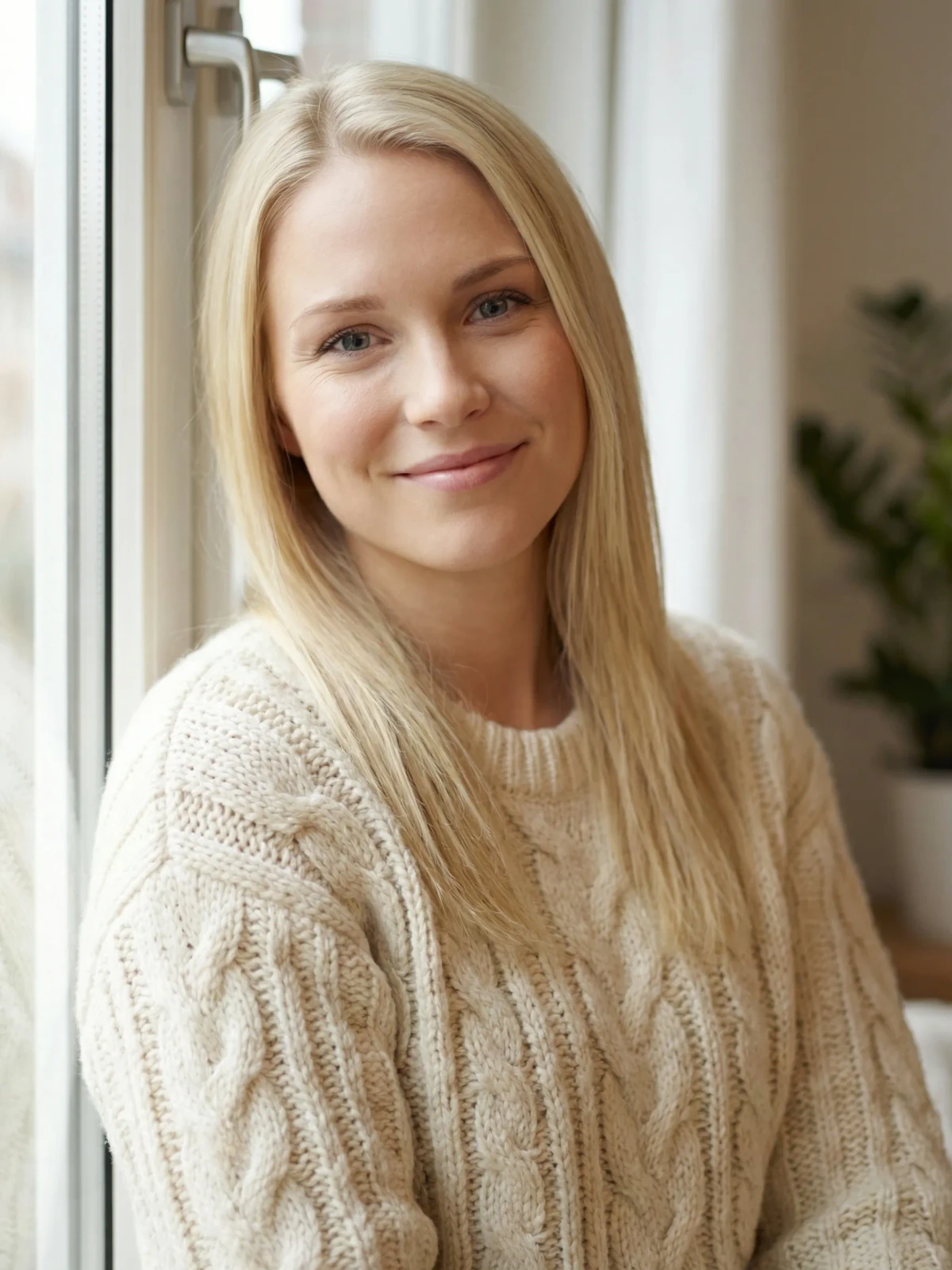
A large window on an overcast day is essentially a giant softbox. The cloud cover diffuses the sunlight, creating soft, even illumination.
How to set it up:
- Position the subject 2-4 feet from the window
- The window should be to one side (not directly behind or in front)
- Use a white sheet or curtain if direct sun is coming through
- Place a reflector or white poster board on the opposite side to fill shadows
This setup has produced legitimately great headshots for decades. Many portrait photographers prefer it to studio lighting because the quality of light is so naturally flattering.
Common mistake: Shooting with the window directly behind the subject. This creates a silhouette. The light needs to come from the side or from a 45-degree angle, just like a studio key light.
Golden Hour (The 30-Minute Window)
The hour after sunrise and before sunset produces warm, directional light that's naturally soft. For outdoor headshots, this is the sweet spot.
The specific technique: position the subject so the low sun acts as a key light from one side. The ambient sky light fills the other side naturally. You get dimension, warmth, and flattering skin tones without any equipment.
The catch: You have roughly 30 usable minutes. The light changes fast, so you need to work quickly. And cloudy days eliminate the effect entirely.
Open Shade
Find a spot where a building, tree, or overhang blocks direct sunlight but the subject still faces open sky. The indirect light wraps around evenly, producing soft illumination without harsh shadows.
Look for shade with a clean background. A shaded doorway facing a sunlit street creates beautiful directional light. The bright area in front acts as a natural reflector.
5 Lighting Mistakes That Ruin Headshots
1. Overhead Fluorescents
Office ceiling lights create downward shadows under the eyes, nose, and chin. They also cast a greenish tint that makes skin look sickly. If you've ever wondered why your webcam makes you look terrible, overhead fluorescents are usually the answer.
Fix: Turn off the overhead lights. Use a desk lamp bounced off a white wall, or face a window instead.
2. Mixed Color Temperatures
Your room has warm tungsten lamps (2700K, yellowish) plus cool daylight from windows (5500K, bluish). Your camera can adjust for one but not both simultaneously. The result: half your face looks orange, the other half looks blue.
Fix: Pick one light source and eliminate the other. Close the blinds and use only artificial light, or turn off all lamps and use only window light.
3. Direct Flash
The built-in flash on your phone or camera fires straight at your face from the lens position. This does two things: it eliminates all shadows (making your face look flat and dimensionless), and it creates that unmistakable "deer in headlights" look with red-eye.
Fix: Never use direct flash for headshots. If you must use flash, bounce it off a ceiling or wall so the light arrives indirectly.
4. Backlighting Without Fill
Standing in front of a bright window or outdoors with the sun behind you. Your camera exposes for the bright background, leaving your face dark. Or it exposes for your face, blowing out the background to pure white.
Fix: Reposition so the light source is to your side or behind the camera. If you want a backlit look on purpose, you need a reflector or fill light on the front of the face.
5. Too Close to a Colored Wall
Light bounces. If you're standing 2 feet from a red wall, red light reflects onto the shadow side of your face. Same with green walls, yellow walls, or any strong color. This color cast is subtle but makes skin tones look unnatural.
Fix: Move at least 4-6 feet from colored surfaces, or use only white/gray/neutral backgrounds.
DIY Lighting on a Budget
You don't need a $2,000 Profoto setup. Here's what actually works at each price point:
Under $50: The Basics
- White foam board ($3-5): The single most useful lighting tool. Use it as a reflector to bounce window light into shadows.
- Clip-on desk lamp with LED bulb ($15-20): Get a 5000K daylight-balanced LED. Clip it to a shelf at 45 degrees.
- White bed sheet ($10): Hang it over a window to diffuse harsh sunlight into soft studio-quality light.
$50-150: Getting Serious
- LED ring light ($30-60): Not just for TikTok. A 14-18 inch ring light produces very even, soft illumination for headshots. Position it directly in front and slightly above.
- Collapsible reflector ($20-40): A 5-in-1 reflector with white, silver, gold, black, and translucent surfaces. The white side fills shadows. The translucent panel diffuses direct sun.
- Second LED panel ($30-50): Two adjustable LED panels give you a basic two-light setup.
$150-500: Near-Studio Quality
- Softbox kit ($80-150): Two continuous lights with softbox modifiers. This is the minimum viable "studio" setup. The softboxes diffuse the light for that professional wrapping quality.
- LED panel with adjustable color temp ($60-120): Panels like the Neewer 660 let you dial in exact color temperature from warm to cool, matching any environment.
- Backdrop stand and paper roll ($60-100): A gray or white paper background eliminates distracting surroundings.
How AI Headshot Tools Handle Lighting Automatically
Here's where things get interesting for anyone who's read this far and thought, "That's a lot of work."
Modern AI headshot generators like LensCherry don't just paste your face onto a template. Personalized models understand lighting at a fundamental level. When you upload reference photos, the AI:
- Analyzes the lighting direction on your face in the uploaded photos
- Reconstructs your facial features with consistent, professional lighting applied
- Matches lighting to the chosen style (corporate gets even, balanced light; creative gets more dramatic contrast)
- Corrects common problems like mixed color temperatures, harsh shadows, or flat webcam lighting
The practical result: you can upload selfies taken under mediocre office lighting, and the output looks like it was shot in a professional studio with a 3-point setup.
This matters because lighting is the #1 technical barrier for people taking their own headshots. You can learn to pose in 5 minutes. You can pick a good outfit in 10. But getting lighting right requires equipment, space, and practice that most people don't have.
Better Input = Better Output
That said, AI works best when it has good material to work with. Your reference photos don't need perfect lighting, but following a few basics helps:
- Face a window when taking reference selfies. Even light on the face gives the AI the clearest picture of your features.
- Avoid extreme shadows. If half your face is in deep shadow, the AI has less information about that side.
- Skip the flash. Flat flash lighting washes out the subtle contours the AI uses to build dimension.
- Use consistent lighting across all your reference photos. Mixing indoor and outdoor shots forces the AI to reconcile different color temperatures.
- Daylight is king. Photos taken in natural daylight (even indoors near windows) give the AI the most accurate skin tone information.
For more on getting great results from AI tools, check our guide on how to get AI headshots that actually look like you.
The Cost Reality: Three Paths Compared
DIY Lighting Setup: $100-500
You buy some lights, a backdrop, and learn to set it all up. The upfront investment gets you unlimited attempts, but each session still takes 30-60 minutes of setup, shooting, and selecting the best shot.
Best for: Photographers, content creators who need headshots regularly, anyone who enjoys the process.
Professional Studio Session: $150-400
A photographer handles everything. You show up, they light you, direct your poses, and deliver 3-10 retouched images within a week. For more on costs, see our headshot pricing breakdown.
Best for: Magazine covers, actors needing comp cards, anyone who wants a specific creative vision executed by a human expert. Also check our corporate team headshots guide if you need photos for the whole office.
AI Headshots: Free to Start, Packs From $4.99
Upload a few selfies, generate dozens of professional variations in minutes. Each generation applies studio-quality lighting automatically. LensCherry credit packs from $4.99 give you as many headshots as you need across different styles.
Best for: Remote workers who need a quick professional photo, people updating LinkedIn profiles, anyone on a tight budget or timeline, and teams that need consistent headshots without booking a group session.
The quality gap between AI and traditional photography has narrowed dramatically. For LinkedIn, company websites, social profiles, and most professional contexts, AI headshots are genuinely indistinguishable from studio photos to the average viewer.
When You Still Need a Professional Photographer
AI handles standard headshot lighting brilliantly. But some situations still call for a human behind the camera:
- Magazine editorial work where specific creative lighting tells a story
- Product photography where lighting needs to match exact brand specifications
- Large group photos where coordinating dozens of people requires in-person direction
- Extreme creative concepts like colored gel lighting, projected patterns, or mixed-media setups
- Legal/compliance contexts where some industries require unedited photographs
For everything else, the combination of basic lighting knowledge plus AI tools gets you 95% of the way there at 5% of the cost.
Quick Reference: Your Lighting Checklist
Before your next headshot, whether you're shooting it yourself or taking reference photos for AI:
- Light source at 45 degrees from your face, slightly above eye level
- Soft, diffused light (window, softbox, or overcast sky)
- Single color temperature (don't mix daylight and tungsten)
- No overhead-only lighting
- Something light-colored on the shadow side (wall, reflector, foam board)
- Background at least 4 feet behind you
- Check for color casts from nearby walls or objects
Nail these basics and you're ahead of 90% of the headshots on LinkedIn right now.
Existing users can sign in to LensCherry to create headshots, dating photos, and creative portraits. Credit packs start at $4.99 and never expire.
Get AI-generated headshots, dating photos, and more in just 30 seconds. Try your existing LensCherry account.
Sign in